Dell Inspiron i5577 Breakdown: Can It Still Drive Modern Gaming?
The Dell Inspiron i5577 is a dedicated 15.6-inch portable system engineered to bring discrete graphics processing and quad-core power to mainstream gaming setups. In this Dell Inspiron i5577 review, our evaluation finds that while the core architecture belongs to a previous hardware generation, it still delivers reliable 1080p performance for competitive multiplayer titles and responsive…
By Mark Archer
8 min read
As Amazon Associates, we earn from qualifying purchases. This means we may receive a small commission at no extra cost to you if you click through and make a purchase.
The Dell Inspiron i5577 is a dedicated 15.6-inch portable system engineered to bring discrete graphics processing and quad-core power to mainstream gaming setups. In this Dell Inspiron i5577 review, our evaluation finds that while the core architecture belongs to a previous hardware generation, it still delivers reliable 1080p performance for competitive multiplayer titles and responsive day-to-day productivity.
This notebook primarily serves casual gamers, esports enthusiasts playing older competitive titles, and power users who need dedicated hardware and easily upgradeable memory. Those needing maximum frame rates in cutting-edge graphical blockbusters or thin travel designs should look elsewhere, such as the dell inspiron 16 plus 7640 laptop, which features newer generational hardware.
NVIDIA GeForce GTX 1050 Gaming Performance
At the center of this machine is the dedicated NVIDIA GeForce GTX 1050 graphics coprocessor, configured with 4 GB of video memory. Evaluating the Dell i5577 for gaming shows that having a dedicated graphics card with its own memory pool makes a substantial difference over basic integrated graphics solutions. By offloading rendering tasks from the central processor, the system maintains consistent frametimes in standard 1080p gaming environments.
Real-world Dell i5577 performance is best demonstrated in popular competitive and esports titles. Games such as Rocket League, Counter-Strike, Dota 2, and League of Legends execute cleanly on this hardware configuration. The Dell i5577 GTX 1050 setup provides enough graphical bandwidth to run these games at native 1080p resolution on medium-to-high settings without visual stutter, keeping competitive inputs responsive.
Graphically intense modern releases present a steeper challenge. Because modern AAA titles demand deeper rasterization pipelines and heavy graphical compute resources, this dedicated GPU must drop down to low or medium presets to maintain fluid frame rates. It functions well as an entry point for gaming catalogs, but users should not expect maxed-out settings on current release titles.
Intel Core i7-7700HQ Processing and Memory Headroom
Computational execution is driven by the Dell Inspiron i5577 i7 7700hq processor. This 7th Generation quad-core CPU provides eight total processing threads, a base frequency of 2.8 GHz, and a maximum Turbo boost reaching up to 3.8 GHz alongside 6MB of cache. Having eight execution threads ensures that the Dell Inspiron i5577 gaming laptop handles background tasks, voice chat clients, and system processes without choking the active gaming workload.
Multitasking capabilities are further strengthened by the 16GB of 2400MHz DDR4 memory installed from the factory. While many entry machines provide only baseline memory, 16GB allows users to run multiple browser tabs and background applications alongside heavy games without experiencing out-of-memory bottlenecks. Furthermore, the motherboard supports memory expansion up to 32GB with additional memory sold separately, giving the system long-term flexibility.
Storage responsiveness is handled by a 512GB solid-state drive that guarantees rapid boot sequences and prompt level loading. The listing specifies a solid-state drive interface without an optical drive, prioritizing fast file indexing over legacy disc formats. For productivity-focused buyers who might consider options like the dell inspiron 15 3530 touchscreen laptop for general office computing, the i5577 offers the distinct advantage of high-speed solid-state storage paired with dedicated graphics hardware.
Dell Inspiron i5577 Display and Visual Clarity
The visual centerpiece is a 15.6-inch Full HD display featuring a native resolution of 1920 x 1080 pixels. The Dell Inspiron i5577 display is fitted with an anti-glare coating and LED backlighting, which actively diffuses light reflections in brightly illuminated rooms. This anti-glare finish is particularly useful during extended daytime gaming sessions where overhead lighting or nearby windows might otherwise obscure dark corridors in games.
Full HD resolution across a 15.6-inch diagonal yields a sharp image where text, HUD indicators, and game environments render cleanly without requiring excessive software scaling. The LED-backlit panel delivers stable illumination across the entire viewing area, ensuring that visual details remain distinct during fast-paced movement.
Color grading and high-end visual production are not the primary aims of this display panel, as the listing does not specify specialized wide color gamuts or elevated refresh rates. Gamers or digital artists looking for premium color accuracy and high-resolution creative workspaces may find higher-tier display solutions like the dell xps 16 laptop better aligned with specialized media production requirements.
Chassis Construction, Ergonomics, and Connectivity
Dell packaged this hardware inside a solid black form factor that measures 23.3 mm in thickness and weighs 5.7 pounds. The interior is crafted with a stylish, brushed hairline palm rest that provides a comfortable resting area for hands during typing or gaming sessions. While a weight of 5.7 pounds means it carries noticeable heft compared to ultraportable notebooks, the rigid footprint keeps the machine planted firmly on a desk during intense keyboard inputs.
Typing is handled through a bottom-mount keyboard layout with optional backlighting that assists with key navigation in low-light environments. Directly above the display sits an integrated front-facing camera, providing straightforward video capabilities for online meetings, family calls, and basic streaming setups without adding external clutter.
Peripheral expansion options match the expectations of an enthusiast desktop replacement. The chassis is compatible with external displays, keyboards, mice, storage devices, printers, and standard laptop accessories via its built-in USB and HDMI ports. With external display connectivity supported, users can readily anchor the laptop to an external desktop monitor for a multi-screen workspace.
Overall Platform Evaluation and Longevity
A complete assessment of the Dell laptop i5577 specs shows a machine engineered with solid fundamentals. Between the quad-core i7 processor, 16GB of DDR4 memory, and discrete GTX 1050 GPU, this laptop possesses the core specifications needed to run Windows 10 Home smoothly while tackling day-to-day computing, media streaming, and local game rendering.
Deciding whether is dell laptop i5577 worth it comes down to matching your intended workload with what the hardware was built to do. If you require a stable machine for legacy PC gaming, simulation titles, and everyday multitasking, the hardware delivers dependable, reliable execution. It avoids the performance throttling often seen on laptops that rely purely on basic integrated graphics processing.
Because the platform supports memory upgrades up to 32GB and connects easily to standard external accessories via USB and HDMI, it functions well as a durable home workstation. The thermal layout, solid-state drive, and dedicated GPU provide a competent all-in-one computing environment for users with sensible expectations.
Dell Inspiron i5577 Pros and Cons
Pros
- Dedicated NVIDIA GeForce GTX 1050 with 4GB RAM
- Intel Core i7-7700HQ quad-core processor up to 3.8GHz
- 16GB DDR4 memory expandable up to 32GB
- Fast 512GB solid-state drive storage
- 6-inch anti-glare Full HD display
Cons
- Heavy 5.7-pound chassis limits travel portability
- No internal optical drive included
- Struggles with modern AAA graphical presets
Check Dell Inspiron i5577 on Amazon
Who Should Buy the Dell Inspiron i5577
Buy It If
- You primarily play esports titles like CS:GO, Rocket League, or League of Legends that run smoothly on dedicated 4GB GTX 1050 graphics at 1080p.
- You want 16GB of DDR4 RAM right out of the box with the option to expand memory up to 32GB later.
- You require a comfortable matte 15.6-inch anti-glare display that cuts down distracting light reflections.
- You need a dedicated quad-core Intel i7 machine with 512GB solid-state storage for both gaming and general productivity.
Skip It If
- You plan to play the newest AAA blockbusters at ultra-high settings and maximum graphical fidelity.
- You need a lightweight laptop for constant mobile travel, as this 5.7-pound machine is heavy to carry around all day.
- You need a color-critical creative display for professional photo grading or print media production.
Dell Inspiron i5577 Alternatives Worth a Look
If your daily workflow requires different hardware priorities, contemporary operating systems, or lighter designs, several alternatives from the same search category provide distinct advantages.
2026-2027 edition

The 2026-2027 edition HP 14 Laptop Computer features an Intel N150 processor, 4GB of DDR5 RAM, a 128GB SSD, Windows 11, Microsoft 365, and 1 TB of cloud storage. Shoppers who need a lightweight, travel-friendly personal computer for cloud storage and document tasks rather than dedicated 1080p gaming should pick this model over the heavier Dell notebook.
Supports 1TB TF Card Expansion
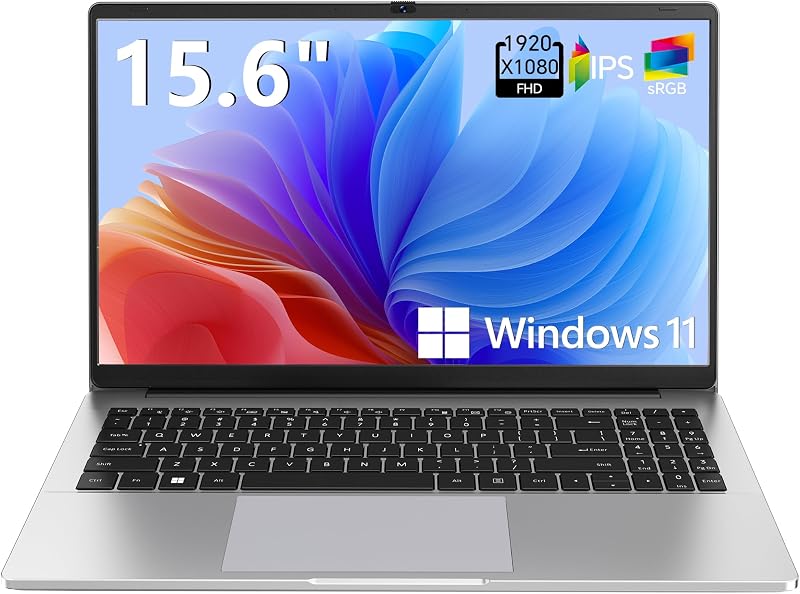
The Supports 1TB TF Card Expansion model is a 15.6-inch gray notebook running Windows 11 on an Intel N4020 processor with 4GB DDR4 RAM and 128GB eMMC storage. It is tailored for students and home office users who value expandable TF card storage and simple web tasks over discrete gaming silicon.
Copilot AI

The Copilot AI HP 2026 Essential Laptop offers a portable natural silver build with an LED display, an Intel processor, 128GB storage, Windows 11, Office 365, and 1TB cloud storage. If your primary focus is portable office productivity, integrated modern assistant software, and cloud file management rather than dedicated 3D graphics rendering, this modern configuration is the better option.
Final Verdict
The Dell Inspiron i5577 stands as a balanced dedicated performance notebook from its hardware era. By combining an Intel Core i7-7700HQ quad-core processor, dedicated 4GB NVIDIA GeForce GTX 1050 graphics, 16GB of DDR4 memory, and a 512GB solid-state drive, it delivers consistent execution for 1080p esports and general computing tasks. The anti-glare screen and brushed palm rest make it comfortable for sustained gaming sessions.
While demanding modern blockbusters have surpassed the compute limits of older mobile graphics chips, this machine remains entirely capable for users with realistic performance expectations. If your goal is to tackle competitive multiplayer games, run multitasking applications, and enjoy 1080p entertainment from a solid desktop-style chassis, the i5577 offers dependable hardware that gets the job done.
FAQ
Can the Dell Inspiron i5577 run modern games smoothly?
The Dell Inspiron i5577 runs esports titles like Counter-Strike, Rocket League, and League of Legends smoothly at 1080p resolution. Modern, graphically intensive AAA titles will require lowering visual settings and rendering resolutions to maintain consistent frame rates due to the hardware limits of the GTX 1050 GPU.
Can the system memory on the Dell Inspiron i5577 be upgraded?
Yes, the notebook comes equipped with 16GB of DDR4 memory running at 2400MHz and supports expansion up to 32GB using additional memory modules sold separately.
What operating system comes installed on the Dell Inspiron i5577?
The laptop comes with Windows 10 Home 64-bit English installed as its factory operating system, and it includes Windows 10 Home automatic backup software capabilities.
Does the Dell Inspiron i5577 have an optical disc drive?
No, the product listing specifically confirms that there is no optical drive option on this chassis, which leaves more internal room for cooling and solid-state hardware.
What external devices can be connected to the Dell Inspiron i5577?
The laptop supports connections to external displays, keyboards, mice, storage devices, printers, and other standard computer accessories through its integrated USB and HDMI ports.
How these reviews are put together
- 862reviews published
- 2,271products with a buyer rating
- 2,222products with listed features
- 87brands covered
Every number, star and price on this site is read from the Amazon product listing. We do not run lab tests of our own, so scores here are out of 10, based on listed specifications and buyer feedback, not a verdict from a test bench. Prices change without notice; check the listing before buying.