Crucial X10 Pro Review: Real Speeds and Gaming Performance on Mac
The Crucial X10 Pro is a palm-sized external solid-state drive built for fast data access, creative workflows, and gaming storage. Encased in anodized aluminum, this drive offers read speeds up to 2100MB/s and write speeds up to 2000MB/s over USB-C. For users seeking a lightweight, pocket-ready drive that handles drops and splashes while providing snappy…
By Rachel Ford
9 min read
As Amazon Associates, we earn from qualifying purchases. This means we may receive a small commission at no extra cost to you if you click through and make a purchase.
The Crucial X10 Pro is a palm-sized external solid-state drive built for fast data access, creative workflows, and gaming storage. Encased in anodized aluminum, this drive offers read speeds up to 2100MB/s and write speeds up to 2000MB/s over USB-C. For users seeking a lightweight, pocket-ready drive that handles drops and splashes while providing snappy responsiveness, it is an impressive piece of hardware. However, Mac owners must evaluate how Apple systems interact with its high-speed interface before expecting headline performance.
This portable SSD suits cross-platform creators, mobile video editors seeking reliable scratch space, and console gamers wanting durable storage for game libraries. However, creative professionals working solely within macOS who expect full 2000MB/s speeds should look elsewhere, as should shoppers seeking multi-terabyte archival capacity without needing solid-state performance.
Transfer Speeds and macOS Interface Limits
When evaluating the Crucial X10 Pro specs, the headline figures stand out: read speeds up to 2100MB/s and write speeds up to 2000MB/s across a 20Gbps bus. In practice, achieving those peak rates requires a host machine with native USB 3.2 Gen 2×2 support. For shoppers researching crucial x10 pro transfer speeds mac metrics, Apple hardware introduces an important constraint. Apple silicon and Intel Mac systems feature Thunderbolt and USB4 architectures that do not support dual-lane USB 3.2 Gen 2×2 signaling. When connected to a Mac, the connection renegotiates down to standard 10Gbps USB 3.2 Gen 2.
Due to this hardware limitation, crucial x10 pro mac performance tops out between 950MB/s and 1050MB/s in sequential read and write operations. While 1050MB/s is fast enough to transfer large 4K video folders or backups in seconds, it represents half the drive’s theoretical bandwidth. This limitation shapes the crucial x9 pro vs x10 pro mac comparison. The Crucial X9 Pro is natively rated as a 10Gbps external drive delivering up to 1050MB/s. On a Mac, both models operate against the same 10Gbps interface ceiling, delivering functionally identical transfer speeds.
When connected to desktop systems like the mac mini m4 pro, transfer stability remains rock-solid without dropouts or thermal throttling. Crucial portable ssd mac compatibility is plug-and-play, mounting instantly via USB-C without extra drivers. If your workflow involves swapping between a Mac laptop and a Windows PC equipped with a 20Gbps port, the drive immediately takes advantage of the extra bandwidth on the PC, providing the full 2000MB/s write capability.
Gaming Performance and External Storage
Choosing the Crucial X10 Pro for gaming provides a clear upgrade over traditional mechanical hard drives and generic flash drives. The listing specifies gaming as a primary use, highlighting compatibility across platforms including the PlayStation 5, PlayStation 4, Xbox consoles, and the Sony PlayStation Vita. While dedicated internal upgrades like the crucial p310 1tb nvme ssd utilize internal PCIe lanes for maximum throughput, an external solid-state drive remains the easiest method to expand game installations without opening hardware.
On macOS, the drive provides a responsive platform for running external Steam libraries, Apple Arcade titles, and emulation collections. Because solid-state architecture delivers near-instant seek times alongside consistent 1000MB/s read speeds, games stored on the external volume launch quickly. In-game asset loading and level transitions feel practically indistinguishable from running off internal storage, eliminating the texture pop-in common to spinning hard drives.
Console gamers receive equal utility when deploying the 1TB volume for extended storage. On modern consoles like the PS5 or Xbox Series hardware, the drive stores and plays backward-compatible PS4 and Xbox One titles directly from USB-C. It also serves as a high-speed archival drive for current-generation games, allowing players to transfer large installs back to internal storage in minutes rather than redownloading them over the internet.
Creative Workflows and 4K Video Editing
Content creators represent the primary audience for the Crucial X10 Pro 1TB review metrics. Crucial designed the drive to store high-resolution photography, 4K and 8K footage, and active creative project libraries. Video editors require sustained read and write throughput to scrub complex timelines without dropping frames, especially when working directly off external drives in demanding applications like Final Cut Pro or DaVinci Resolve.
Even with macOS capping speeds at 10Gbps, the 1000MB/s real-world throughput provides plenty of bandwidth to edit multiple streams of high-bitrate video footage smoothly. Project caching and timeline rendering process without buffering. When paired with compact desktop systems like the apple mac mini m5, this compact drive allows editors to keep internal storage free of bloated project caches and raw video files.
Crucial adds utility by including bonus software upon product registration. Buyers receive three months of Mylio Photos+ and Acronis True Image. Mylio Photos+ provides a connected platform for organizing and indexing photo collections across devices without third-party cloud storage. Acronis True Image delivers essential backup utilities, enabling automated disk cloning and scheduled file protection to ensure creative projects remain safeguarded.
Durability, Thermals, and Hardware Security
Durability is a major highlight of the Crucial X10 Pro hardware design. The drive features an anodized aluminum enclosure with a matte black finish, keeping it lightweight and compact. The aluminum shell acts as a passive heatsink, drawing heat away from the internal flash memory and controller during continuous write sessions. This thermal management ensures the drive maintains stable data rates without sudden performance throttling during large file transfers.
For outdoor shoots and travel, the enclosure boasts an IP55 rating for water and dust resistance. This protection safeguards the drive against unexpected rain, splashes, and dusty field environments. Furthermore, Crucial rates the drive for drop-proof durability up to 7.5 feet (2 meters), ensuring the internal memory survives routine slips from desks or camera bags onto hard surfaces.
The physical housing incorporates practical utility features. An integrated lanyard loop lets you secure the drive to a backpack or camera rig, reducing the risk of misplacing hardware in the field. An activity light illuminates during read and write operations, warning users not to unplug the cable while data is moving. To protect confidential assets, the drive also includes SSD password protection to prevent unauthorized access.
Crucial X10 Pro Pros and Cons
Pros
- Up to 2100MB/s read and 2000MB/s write speeds
- IP55 water and dust resistance rating
- Drop-proof durability up to 7.5 feet
- Durable anodized aluminum enclosure with activity light
- Built-in SSD hardware password protection
Cons
- MacOS caps transfer speeds to 10Gbps
- Requires compatible hardware for 2000MB/s speeds
- Requires separate cable or adapter for USB-A
Check Crucial X10 Pro on Amazon
Who Should Buy the Crucial X10 Pro
Buy It If
- You work in a mixed-OS workflow and want 2000MB/s speeds on PCs with USB 3.2 Gen 2×2 while maintaining seamless Mac compatibility.
- You need rugged, field-ready storage with IP55 water and dust resistance and 7.5-foot drop protection.
- You want responsive external storage for gaming libraries, 4K video scrubbing, and fast console file offloading.
- You require hardware security with password protection, an integrated lanyard loop, and an activity status light.
Skip It If
- You work exclusively on Mac hardware and expect full 2000MB/s speeds, where a 10Gbps SSD matches its real-world performance.
- You need multiple terabytes of cold archival capacity where fast solid-state transfer speeds are unnecessary.
- Your host devices only have standard USB-A ports and you do not wish to use separate adapters or cables.
Crucial X10 Pro Alternatives Worth a Look
Depending on your storage priorities, capacity needs, and hardware setups, several alternative portable drives offer distinct trade-offs worth examining.
Sandisk 2TB Extreme Portable SSD

The Sandisk 2TB Extreme Portable SSD is an external solid-state drive operating over USB 3.2 Gen 2 with speeds up to 1050MB/s. It features IP65 water and dust resistance, updated firmware, and double the capacity of the 1TB Crucial model. For Mac users who are already capped at 10Gbps speeds, this alternative offers higher environmental ingress protection and larger storage volume for creative media libraries.
Everyday HDD storage. Plug-and-play backup.
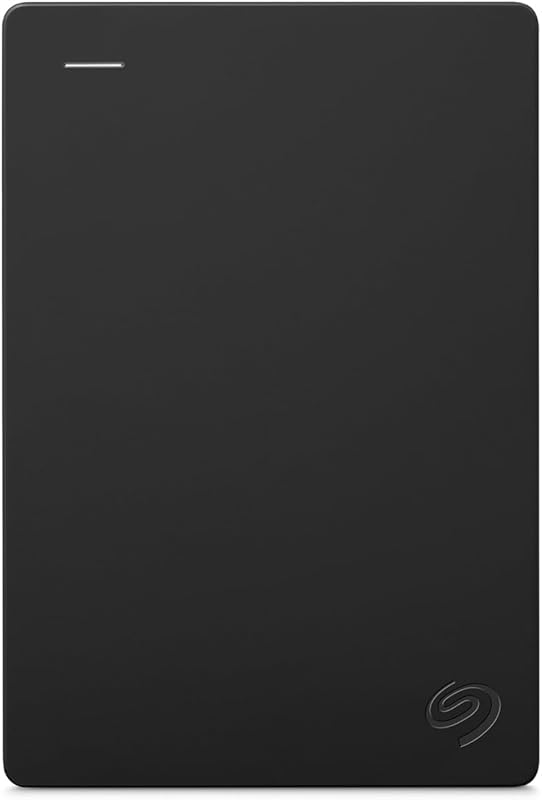
The Everyday HDD storage. Plug-and-play backup. drive is a Seagate 2TB portable mechanical hard drive featuring USB 3.0 connectivity, an Adobe Creative Cloud trial, and a 1-year warranty. Operating with spinning platters, it is substantially slower than solid-state drives. However, home users needing large, simple backup storage for documents and media archives will find it far more spacious than compact solid-state alternatives.
Zinc Alloy

The Zinc Alloy is a 256GB external solid-state drive featuring a rugged metal body, dual USB-C and USB-A connectivity, and read speeds up to 520MB/s. Designed for broad compatibility across iPhone 15, 16, and 17 Pro models, Android phones, PCs, Macs, and tablets, it caters to users who need a small, dual-connector flash drive for quick mobile file transfers rather than a high-capacity editing drive.
Final Verdict
The Crucial X10 Pro 1TB portable solid-state drive delivers an impressive blend of compact portability, rugged build quality, and versatile performance. Its durable anodized aluminum body, IP55 water and dust resistance, 7.5-foot drop protection, and integrated password security make it an outstanding companion for traveling creators and mobile power users. When connected to compatible Windows machines with 20Gbps USB 3.2 Gen 2×2 ports, it easily reaches its advertised 2100MB/s read and 2000MB/s write limits.
When asking is Crucial X10 Pro worth it for Mac users, the answer hinges on workflow expectations. Because macOS lacks native USB 3.2 Gen 2×2 support, the drive tops out around 1050MB/s on Mac hardware. While this speed is more than fast enough for fluid 4K video editing, rapid photo transfers, and low-latency gaming, it performs identically to 10Gbps models like the Crucial X9 Pro on Apple machines. However, for users who appreciate rugged durability, premium materials, and the flexibility to unlock 2000MB/s speeds on Windows hardware, the Crucial X10 Pro remains a reliable, high-performance external drive.
FAQ
Can the Crucial X10 Pro reach 2100MB/s on a Mac?
No, the Crucial X10 Pro cannot reach its maximum 2100MB/s read speed on macOS. Apple Mac computers feature Thunderbolt and USB4 ports that do not support the 20Gbps dual-lane USB 3.2 Gen 2×2 protocol. Consequently, the connection operates at standard 10Gbps USB 3.2 Gen 2 speeds, delivering real-world transfer rates between 950MB/s and 1050MB/s.
How does the Crucial X9 Pro compare to the Crucial X10 Pro for Mac users?
When comparing the Crucial X9 Pro vs X10 Pro Mac performance, both drives deliver virtually the same speeds on Apple systems. The Crucial X9 Pro is natively built for 10Gbps USB 3.2 Gen 2 with speeds up to 1050MB/s. Because macOS limits the X10 Pro to 10Gbps as well, Mac users will experience nearly identical transfer speeds across both models.
Is the Crucial X10 Pro suitable for Mac and console gaming?
Yes, the Crucial X10 Pro is well-suited for gaming on Mac, PC, and consoles like the PS5, PS4, and Xbox. With solid-state access times and sustained 1000MB/s read speeds on macOS, games load quickly with minimal stutter. Console gamers can store and play backward-compatible games or archive current-generation titles to save internal console storage.
What durability features are built into the Crucial X10 Pro?
The Crucial X10 Pro includes IP55 water and dust resistance to withstand outdoor splashes and dusty environments. It also features drop-proof durability tested up to 7.5 feet (2 meters) and an anodized aluminum enclosure that provides impact protection while aiding passive heat dissipation.
Does the Crucial X10 Pro include backup software?
Yes, registering the Crucial X10 Pro provides three months of access to Mylio Photos+ for photo cataloging and Acronis True Image for automated system and drive backups. The drive also supports hardware password protection to safeguard sensitive files.
How these reviews are put together
- 203reviews published
- 2,271products with a buyer rating
- 2,222products with listed features
- 87brands covered
Every number, star and price on this site is read from the Amazon product listing. We do not run lab tests of our own, so a score here is the average rating left by buyers, not a verdict from a test bench. Prices change without notice; check the listing before buying.


