Seagate Expansion Desktop Review: Can It Handle Extreme Game Libraries?
The Seagate Expansion 24TB is an ultra-high-capacity external desktop hard drive designed to solve storage constraints for gamers, power users, and multimedia archivists. With modern game sizes regularly climbing into triple digits and high-resolution video assets requiring immense physical space, standard internal drives fill up rapidly. This external unit packages a colossal 24 terabytes of…
By Rachel Ford
11 min read
As Amazon Associates, we earn from qualifying purchases. This means we may receive a small commission at no extra cost to you if you click through and make a purchase.
The Seagate Expansion 24TB is an ultra-high-capacity external desktop hard drive designed to solve storage constraints for gamers, power users, and multimedia archivists. With modern game sizes regularly climbing into triple digits and high-resolution video assets requiring immense physical space, standard internal drives fill up rapidly. This external unit packages a colossal 24 terabytes of raw storage into a single desktop enclosure, offering an expansive archival destination paired with a 7200 RPM spindle speed for reliable continuous file operations. For enthusiasts seeking a massive secondary archive to hold sprawling game installations and entire media libraries, our verdict is clear: this desktop drive delivers exceptional density and steady throughput, provided you understand the inherent boundaries of mechanical storage.
This desktop powerhouse ideally suits PC and console gamers who want a high-volume staging library to park dozens of large installs without constantly re-downloading files over metered or sluggish internet connections. It also provides home lab enthusiasts and media collectors with a singular, high-density vault for continuous backups and uncompressed 4K video storage. Conversely, users looking for lightning-fast direct-play load times for cutting-edge next-generation titles, or mobile creatives who need a compact, bus-powered pocket drive, will be better served by solid-state hardware. Gamers who originally started out wrestling with a restrictive xbox one s 500 gb storage drive will find that stepping up to a 24TB desktop footprint provides a practically boundless upgrade in spatial freedom.
Gaming Library Storage and Vault Management
Modern game sizes have completely reshaped how players manage storage, with premier releases routinely demanding over one hundred gigabytes each before factoring in post-launch DLC and high-resolution texture packs. The standout benefit of adopting the Seagate Expansion for gaming is its staggering 24TB ceiling, which effortlessly acts as a master vault for your entire software collection. Rather than continually deleting titles from a crowded internal NVMe drive to make room for new updates, you can shuffle finished or secondary games directly onto this external volume. Transferring titles across local USB connections takes a fraction of the time required to re-download them from digital storefronts.
Shoppers exploring massive storage options frequently evaluate ultra-dense single-enclosure configurations, such as queries regarding a seagate expansion 28tb external hard drive hdd option. In this high-capacity realm, the 24TB model consolidates what used to require an entire stack of separate drives into a single organized desk footprint. If you have spent years cycling between fragmented secondary drives or older solutions like a wd elements desktop hdd storage – 14tb, moving to a unified 24TB pool eliminates peripheral clutter while establishing a central destination for Steam, Epic Games, and Battle.net archives. Drag-and-drop file saving works straight out of the box, ensuring you can stage your game folders without complex partitioning.
It is essential to understand how mechanical drives fit into contemporary gaming setups. While legacy PC games, indie titles, and older console releases can run directly off an external hard drive with perfectly acceptable load times, modern releases designed around direct-storage APIs mandate solid-state drive speeds. As a result, using this 24TB unit as a cold-storage staging repository—where games reside safely until you copy them to your high-speed SSD for active play—delivers the optimal balance between massive capacity and peak gaming performance.
Sustained Transfer Speeds and 7200 RPM Mechanics
A closer look at the official seagate expansion desktop specs reveals an internal spindle rate of 7200 RPM, giving it a tangible edge over common 5400 RPM external drives. Spindle speed directly influences how quickly the read and write heads can traverse tracks and process sequential data streams. The listing specifies a media speed reaching up to 240 MB/s and a sustained read speed of 140 MB/s, supported by a 5 Gbps USB 3.0 interface. This level of seagate expansion transfer speed guarantees that massive sequential file moves utilize the physical limits of the drive platters without hitting an interface ceiling.
The practical seagate expansion 7200 rpm performance shines most during extensive, single-file sustained writes. When moving 80-gigabyte game backup files or multi-hour uncompressed gameplay footage, the drive sustains a steady transfer cadence. Enthusiasts familiar with reliable desktop internals like a classic barracuda hard drive will recognize the consistent, linear nature of high-density platter designs. Unlike budget flash drives that suffer drastic speed crashes once their small cache fills up, this mechanical setup maintains continuous throughput throughout massive write sessions.
However, users should keep physical storage trade-offs in mind. While large sequential files transfer rapidly, writing thousands of tiny loose configuration files, texture mods, or game scripts introduces mechanical seek latency that naturally slows down operations. For the fastest archival transfers, packaging collections of small files into uncompressed zip or tar archives before moving them to the drive allows the 7200 RPM mechanism to operate at maximum efficiency.
Media Archival and Desktop Connectivity
Beyond its role as a gaming vault, this unit functions exceptionally well as a dedicated seagate external hard drive media storage center for entertainment buffs. High-bitrate 4K movie rips, lossless audio collections, and raw video recordings demand reliable, dense storage. With a media speed up to 240 MB/s, the drive effortlessly handles local playback and concurrent streaming of high-bitrate 4K content to media software without stuttering, frame drops, or read buffering. It serves as an outstanding local repository for home theater setups and video editing projects.
Connectivity is engineered around straightforward plug-and-play operation. The drive does not require any proprietary background software or device drivers to establish a link with your computer. Setup is as simple as attaching the included 18W power adapter to a wall outlet and connecting the 18-inch USB 3.0 cable to your computer. Windows and Mac operating systems recognize the volume instantly upon connection. While basic file saving works across platforms immediately, Apple users who intend to use the drive for automated Apple Time Machine backups will need to perform a quick reformatting step to align with Apple filesystem standards.
The desktop enclosure is listed with an aluminum, glass, or ceramic construction, presenting a clean, minimalist profile on any workstation. Because this is a 3.5-inch desktop form factor, it relies on dedicated desk space and external AC power rather than drawing power over the USB bus. The included 18-inch USB cable is perfectly adequate for keeping the drive right next to a PC tower or laptop dock, though buyers intending to tuck the unit away in a cabinet or route wires through deep cable management channels may prefer a longer USB 3.0 cable.
Build Quality and Rescue Data Recovery Services
Consolidating 24 terabytes of data onto a single physical device places a heavy emphasis on data protection and long-term hardware reliability. Losing a drive of this scale could mean forfeiting years of game archives, digital collections, and creative workflows. Addressing this concern, the drive includes seagate expansion rescue data recovery services alongside its limited hardware warranty. Having factory data recovery coverage included directly in the purchase provides an invaluable layer of protection against accidental damage, mechanical failures, or unforeseen drive errors.
The physical housing keeps the 7200 RPM drive firmly anchored during prolonged operations. Like all high-density 3.5-inch drives spinning multiple platters, you will hear soft mechanical clicks during heavy read and write activity and a faint hum during continuous operations. Placing the drive on a solid desk surface or a cushioned desk pad easily dampens operational vibrations. Integrated ventilation in the enclosure ensures steady passive airflow, preventing heat buildup while the drive processes massive multi-hour backup queues.
Even with comprehensive Rescue Data Recovery protection in place, good digital safety practices remain essential. An external hard drive serves as an exceptional secondary vault, but truly irreplaceable personal records or unique media projects should still follow a standard backup routine across multiple physical locations. Using this massive desktop enclosure as the cornerstone of your local storage plan keeps your primary system clean, responsive, and free of storage clutter.
Seagate Expansion 24TB Pros and Cons
Pros
- Colossal 24TB desktop storage capacity
- Fast 7200 RPM rotational drive speed
- Peak media speeds up to 240 MB/s
- Includes Seagate Rescue Data Recovery Services
- Simple drag-and-drop setup for PC and Mac
Cons
- Requires dedicated 18W external wall power adapter
- Reformatting required for Apple Time Machine use
- Mechanical transfer speeds cannot match solid-state drives
Check Seagate Expansion 24TB on Amazon
Who Should Buy the Seagate Expansion 24TB
Deciding if this ultra-dense external hard drive fits your workstation comes down to balancing your overall storage capacity needs against your speed and mobility preferences.
Buy It If
- You manage a gargantuan PC or console game library and want an expansive local repository to avoid long re-download times.
- You curate high-bitrate 4K media, uncompressed audio, or video projects that have outgrown standard portable drives.
- You want a clean drag-and-drop desktop storage solution that works seamlessly across Windows and Mac computers.
- You value the added reassurance of included Seagate Rescue Data Recovery Services for your consolidated digital files.
Skip It If
- You require ultra-fast load times for direct-play execution on modern games that strictly mandate solid-state storage.
- You need a bus-powered, pocketable drive that can travel easily in a backpack without requiring an external wall outlet.
- Your storage needs are modest and fit comfortably within standard multi-terabyte drives without needing a massive desktop chassis.
Seagate Expansion 24TB Alternatives Worth a Look
If the massive physical size, external power requirements, or mechanical transfer speeds of this 24TB model do not align with your setup, consider these viable alternatives from the product category.
Everyday HDD storage. Plug-and-play backup.
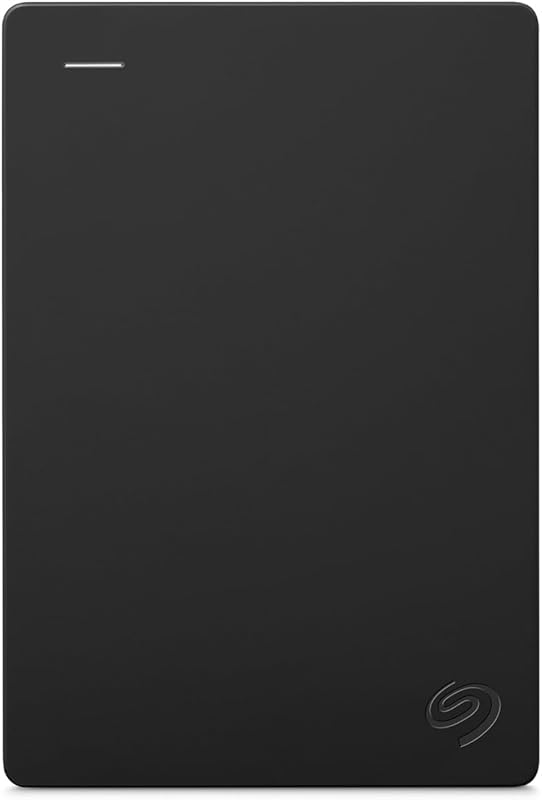
For users who only need light backup space and prefer a travel-friendly build, the Everyday HDD storage. Plug-and-play backup. option offers 2TB of capacity in a bus-powered portable form factor. Operating over USB 3.0 without requiring an external power brick, it suits students, laptop owners, and casual users who want basic file redundancy without the footprint of a desktop enclosure.
1TB Dual Drive External SSD

If speed and rapid file transfers take priority over raw capacity, the 1TB Dual Drive External SSD delivers read speeds up to 500 MB/s and write speeds up to 450 MB/s over USB 3.2 Gen 2. Featuring both USB Type-C and USB-A connections, this compact solid-state thumb drive is an excellent match for gamers actively shuttling game installations or creators editing video straight from external storage.
Western Digital WD 5TB Elements

For shoppers seeking a middle ground between pocket storage and larger desktop volumes, the Western Digital WD 5TB Elements portable hard drive offers five terabytes of storage powered entirely via USB. While it lacks the sheer density of large multi-drive setups or dedicated internal options like a 1 tb wd black hard drive, it provides dependable plug-and-play capacity for PC and Mac users who need solid storage capacity on the go.
Final Verdict
The Seagate Expansion 24TB stands out as a premier external desktop solution for users facing severe digital storage bottlenecks. By integrating a 7200 RPM mechanical drive with a reliable USB 3.0 interface, it delivers consistent sequential transfer speeds up to 240 MB/s alongside an extraordinary 24TB ceiling. The inclusion of Seagate Rescue Data Recovery Services adds significant peace of mind, mitigating the natural anxiety that comes with consolidating decades of digital life onto a single physical device.
Ultimately, is seagate expansion worth it for an enthusiast setup? If you are tired of deleting games to clear room for seasonal updates, or need a massive staging vault for extensive 4K media collections, the answer is definitively yes. It will not replace the blistering random access of an internal SSD for direct gameplay, but as an expansive, reliable, and effortless desktop storage vault, this 24TB titan fulfills its mission with tremendous efficiency.
FAQ
Can you play modern PC and console games directly from the Seagate Expansion 24TB?
You can directly launch older PC titles, emulated games, and backward-compatible console games from this drive with standard load times. However, current-generation games built specifically around high-speed solid-state architectures generally require an internal SSD to launch. The best approach is using this 24TB drive as an external staging archive, copying games over to your system SSD whenever you are ready to play.
Does the Seagate Expansion 24TB require an external power outlet?
Yes, because it houses a full-sized 3.5-inch 7200 RPM desktop hard drive, it cannot draw adequate power from a USB port alone. The drive comes with an 18W external power adapter that must be connected to a standard electrical outlet during use.
How do you set up the Seagate Expansion 24TB with a Mac computer?
The drive is pre-configured to be recognized automatically by both Windows and macOS systems for basic drag-and-drop file transfers. If you intend to use the drive for automated Apple Time Machine backups, you must first reformat the drive using the Mac Disk Utility app into an Apple-compatible file system.
What is the difference between the listed 140 MB/s read speed and 240 MB/s media speed?
The 240 MB/s media speed represents the theoretical peak sequential throughput achievable across the outermost, highest-density tracks of the spinning platters under optimal conditions. The 140 MB/s read speed reflects standard, everyday sustained transfer rates across broader operational workloads during normal desktop use.
What does the included Seagate Rescue Data Recovery service cover?
Seagate Rescue Data Recovery Services provide professional laboratory recovery support in the event of hardware failure, physical drive malfunction, or data corruption. If the drive fails during the coverage period, Seagate’s lab specialists will attempt to retrieve and restore your files in an offsite cleanroom environment.
How these reviews are put together
- 203reviews published
- 2,271products with a buyer rating
- 2,222products with listed features
- 87brands covered
Every number, star and price on this site is read from the Amazon product listing. We do not run lab tests of our own, so a score here is the average rating left by buyers, not a verdict from a test bench. Prices change without notice; check the listing before buying.


