NVIDIA RTX PRO 4000 Blackwell Breakdown: Single-Slot Power
The NVIDIA RTX PRO 4000 Blackwell is an enterprise-focused workstation graphics card engineered to deliver massive memory capacity and modern bus speeds inside a strictly constrained physical footprint. Powered by the Blackwell architecture and packing 24GB of GDDR7 memory with error-correcting code (ECC), this card provides dependable stability for intense artificial intelligence datasets, complex 3D…
By Rachel Ford
10 min read
As Amazon Associates, we earn from qualifying purchases. This means we may receive a small commission at no extra cost to you if you click through and make a purchase.
The NVIDIA RTX PRO 4000 Blackwell is an enterprise-focused workstation graphics card engineered to deliver massive memory capacity and modern bus speeds inside a strictly constrained physical footprint. Powered by the Blackwell architecture and packing 24GB of GDDR7 memory with error-correcting code (ECC), this card provides dependable stability for intense artificial intelligence datasets, complex 3D simulation, and real-time visualization. Operating across a PCIe 5.0 x16 connection, it achieves an impressive balance of high bandwidth and low physical profile. Our verdict is that this graphics card is an exceptional choice for technical professionals seeking dense compute reliability and modern display connectivity without consuming multiple expansion slots, provided their primary goal is workload stability rather than consumer gaming framerates.
This GPU suits 3D artists, machine learning researchers, visual effects compositors, and enterprise system builders who need substantial VRAM and quad-display outputs in space-limited workstation chassis. On the other hand, mainstream PC gamers, competitive esports players, and conventional desktop builders should look elsewhere, as gaming-first cards with multi-fan cooling solutions and consumer display interfaces offer better thermal headroom and gaming value without professional enterprise design trade-offs.
Blackwell Architecture and GDDR7 ECC Memory Pipeline
At the center of this graphics processor is the implementation of NVIDIA’s Blackwell architecture paired with high-speed memory. While flagship data center hardware like the nvidia 6000 pro blackwell demonstrates what this generation achieves at the absolute high end, this model brings Blackwell capabilities into a manageable desktop form factor. Equipping the board with 24GB of GDDR7 memory ensures that users working with large parameter models and dense visual scenes avoid the crippling memory bottlenecks common on standard consumer hardware. High-fidelity rendering and generative models constantly struggle with limited frame buffers, making a 24GB pool a foundational requirement for production-level stability.
The memory architecture is further elevated by the inclusion of Error-Correcting Code (ECC) functionality. Consumer graphics cards permit occasional silent bit flips that might produce an unnoticeable pixel error in a video game, but enterprise compute environments cannot tolerate numeric corruption. Working with complex finite element analysis, computational fluid dynamics, or deep learning inference demands rigorous mathematical fidelity. Operating at a memory clock speed of 1750 MHz, this GDDR7 implementation delivers swift memory throughput while active ECC prevents data degradation during prolonged computational runs.
Looking closely at the official nvidia rtx pro 4000 blackwell specs, the GPU clock speed is listed at 1230 MHz. This clock frequency reveals a clear engineering focus: sustained, highly efficient compute delivery over aggressive, thermal-heavy boost clocks. In workstation environments where rendering tasks or training loops run continuously for hours or days, predictable performance and conservative power behavior take priority over brief peak bursts. The integration of Blackwell compute logic with the high-speed memory bus establishes an unwavering operational foundation for technical professionals handling massive AI datasets.
Single-Slot Thermal Engineering and Workstation Form Factor
One of the most notable aspects examined in any thorough rtx pro 4000 blackwell review is the physical design of the card. Measuring 9.5 inches in length and 4.4 inches in width, this hardware fits cleanly into a single-slot, full-height form factor. While contemporary gaming graphics cards like the massive asus proart 5080 consume three or four motherboard expansion slots, maintaining a single-slot footprint is a massive asset for workstations. It enables system builders to populate adjacent PCIe slots with secondary accelerators, high-speed storage controller cards, or dedicated capture hardware without physical obstruction.
Thermal management relies on a single integrated cooling fan. This blower-style design draws ambient air across the internal heatsink and directly exhausts warm air through the rear bracket of the computer chassis. By venting heat directly outside the enclosure rather than circulating it internally, the cooler preserves ambient temperatures inside dense chassis. The listing does not specify exact acoustic output or fan speed thresholds, but single-fan blower units naturally lean toward higher air velocity and audible fan profiles when pushed to their operational limits under heavy sustained loads.
The practical advantage of an rtx pro 4000 blackwell single slot build extends directly to rackmounted server enclosures and compact creative workstations. Many pre-built enterprise desktop towers and slim cases cannot accommodate oversized consumer cards due to power supply clearance or chassis depth limits. By maintaining standard dimensions and a strictly single-slot width, this card provides workstation builders with immense layout flexibility and simplified multi-GPU scaling.
PCIe 5.0 Bandwidth and DisplayPort 2.1b Connectivity
Data throughput between the host system and the graphics card is anchored by a PCI-Express x16 interface supporting the latest generation standards. Integrating an rtx pro 4000 blackwell pcie 5.0 connection doubles the theoretical bandwidth available over older PCIe 4.0 configurations. For workflows that involve continuous streaming of uncompressed 8K video streams, gigantic geometry caches, or rapid model weight transfers from host RAM into local VRAM, this bus minimizes data transfer bottlenecks. The listing does not specify the exact gigabytes-per-second transfer rate, but PCIe 5.0 compatibility ensures that the card pairs seamlessly with cutting-edge workstation platforms.
On the rear panel, the card features four DisplayPort 2.1b video outputs. This modern display engine supports ultra-high resolutions up to 7680 x 4320 pixels at native refresh rates. Integrating rtx pro 4000 blackwell displayport 2.1 connections gives visual effects editors, digital modelers, and multi-display control room operators the power to drive up to four independent 4K or 8K displays without relying on signal splitters or active external adapters.
The exclusive focus on four full-sized DisplayPort connections reflects standard enterprise deployment standards. Unlike consumer boards that sacrifice DisplayPort capacity to include HDMI ports, workstation configurations depend on locking DisplayPort cables for steady visual feeds. Users managing expansive digital canvases or color-calibrated multi-monitor suites benefit directly from the rock-solid connection stability and uncompressed pixel pipelines offered by this array.
Workstation Compute and Gaming Performance Reality
When evaluating versatility, discussing rtx pro 4000 blackwell gaming performance requires understanding its target environment. The card includes dedicated ray tracing capabilities and massive 24GB GDDR7 memory, enabling it to run modern DirectX 12 games smoothly. However, the 1230 MHz GPU clock speed and single-slot thermal design mean that pure gaming frame rates will not match consumer cards optimized with high-wattage boost profiles and triple-fan coolers. Gamers looking purely for gaming value will find that retail gaming cards, such as an rtx 5060 msi system, offer cooling configurations tuned specifically for desktop gaming audio and thermal expectations.
In contrast, using the nvidia rtx pro 4000 for 3d rendering showcases where this silicon truly excels. Production environments running Blender, Autodesk Maya, Cinema 4D, or Unreal Engine frequently encounter out-of-memory errors when handling complex scenes with heavy procedural geometry and uncompressed textures. With the nvidia rtx pro 4000 blackwell 24gb gddr7 memory layout, digital creators can keep massive scene data entirely within high-speed VRAM. This avoids slow memory paging to system RAM, which is often the primary reason viewport playback stutters or batch renders fail.
As a dedicated rtx pro 4000 blackwell workstation gpu, this hardware is engineered for application stability and certified enterprise software stacks. The Blackwell architecture accelerates spatial computing, photorealistic ray tracing, and AI inference tasks with mathematical precision. For professionals balancing heavy computational rendering with data integrity requirements, the enterprise driver foundation and ECC memory support deliver peace of mind that standard consumer hardware cannot provide.
NVIDIA RTX PRO 4000 Blackwell Pros and Cons
Pros
- 24GB GDDR7 memory with enterprise ECC support
- Compact single-slot full-height workstation form factor
- High-speed PCIe 5.0 x16 host interface
- Four DisplayPort 2.1b outputs supporting 8K resolution
- Advanced Blackwell architecture with dedicated ray tracing
Cons
- Single cooling fan design under heavy loads
- Conservative 1230 MHz GPU clock speed
- Lacks native HDMI video output ports
Check NVIDIA RTX PRO 4000 Blackwell on Amazon
Who Should Buy the NVIDIA RTX PRO 4000 Blackwell
Buy It If
- You need a true single-slot, full-height graphics card to maximize clearance for multi-GPU setups or dense expansion cards in your workstation.
- Your production workloads require 24GB of GDDR7 memory with active ECC to prevent dataset corruption during lengthy AI or 3D rendering tasks.
- You operate high-resolution display walls or multi-monitor suites requiring four native DisplayPort 2.1b connections capable of driving 7680 x 4320 panels.
- You manage modern PCIe 5.0 systems and value hardware reliability and sustained compute over aggressive consumer overclocking.
Skip It If
- Your primary concern is high-fps consumer gaming where multi-fan graphics cards offer higher boost clocks and quieter acoustic performance.
- You require native HDMI 2.1 display outputs for television displays without using intermediate adapter dongles.
- Your desktop case has generous space to accommodate thicker, less specialized multi-slot graphics cards with open-air cooling heatsinks.
NVIDIA RTX PRO 4000 Blackwell Alternatives Worth a Look
Before selecting a graphics card, comparing alternative options across different performance tiers and form factors provides valuable perspective on what best matches your workflow.
GIGABYTE Radeon RX 9070 XT
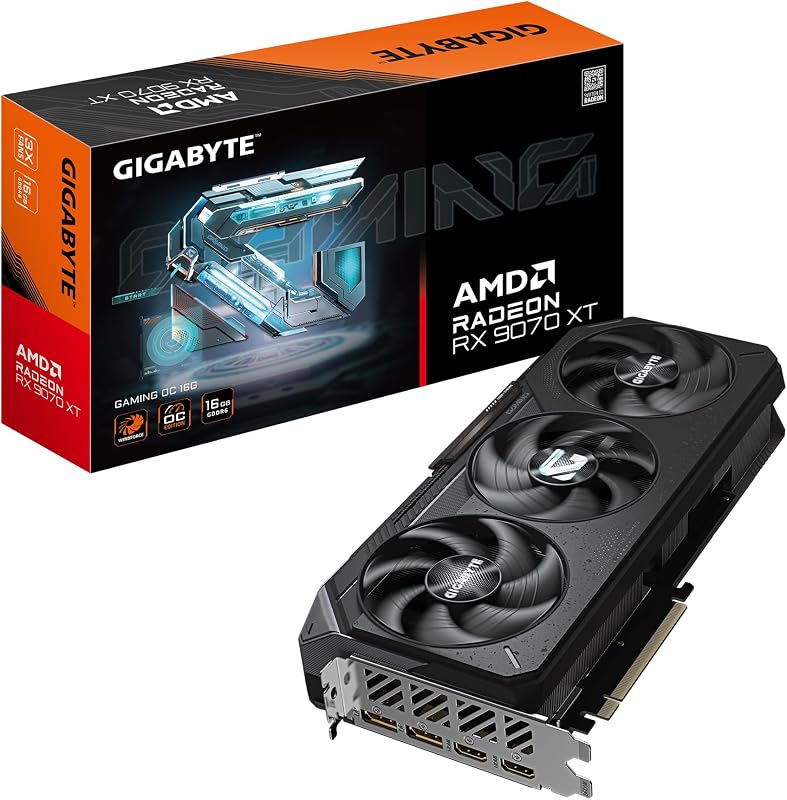
The GIGABYTE Radeon RX 9070 XT is a consumer-focused gaming graphics card built on PCIe 5.0 and equipped with 16GB of GDDR6 memory. Featuring a multi-fan Gaming OC thermal solution, it is designed for maximum airflow inside standard desktop towers. Creative enthusiasts and gamers who do not need 24GB of VRAM or enterprise-grade ECC protection may prefer this card for general entertainment and standard content creation tasks.
PCIe 5.0
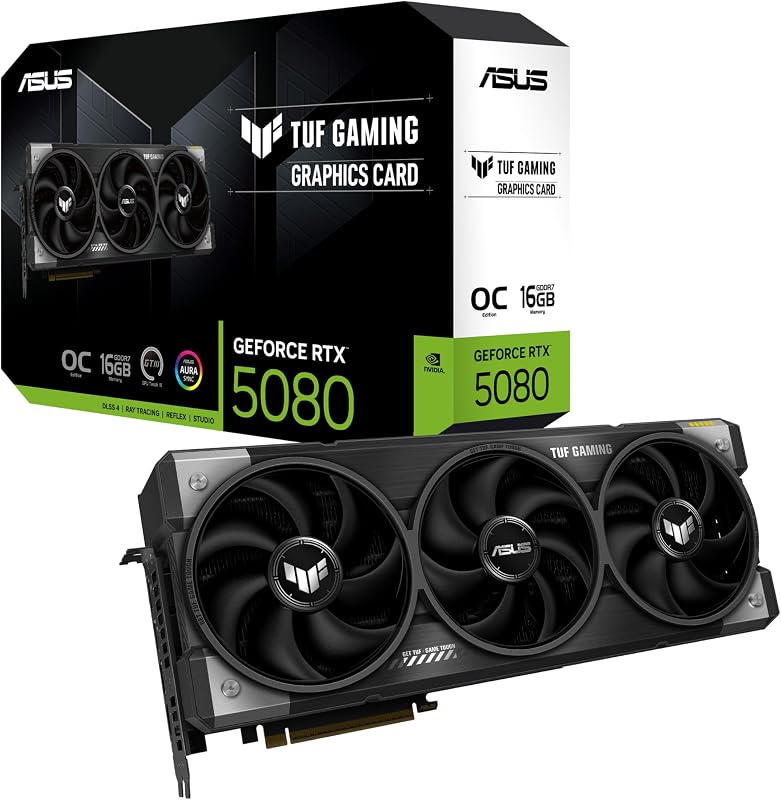
The PCIe 5.0 graphics card, represented by the ASUS TUF Gaming GeForce RTX 5080 16GB GDDR7 OC Edition, features a substantial 3.6-slot profile, military-grade components, a protective PCB coating, and Axial-tech fans. It incorporates DisplayPort 2.1 and HDMI connections alongside GDDR7 memory. Users with spacious full-tower PC cases who prioritize high-end consumer graphical power and robust open-air cooling will favor this card over a slim, single-slot enterprise workstation board.
ASRock Radeon RX 9070 Challenger

The ASRock Radeon RX 9070 Challenger offers 16GB of GDDR6 memory across a 256-bit bus, a 2520MHz boost clock, and RDNA 4 architecture on a PCIe 5.0 interface. Featuring triple cooling fans, a 0dB silent mode, and an integrated LED indicator, it is designed for desktop PC builders wanting low acoustic levels and high gaming performance. Choose this alternative if your system has room for a multi-fan cooler and you have no requirement for single-slot workstation dimensions or ECC memory.
Final Verdict
When determining is rtx pro 4000 blackwell worth it, the answer centers on your workflow demands and chassis space constraints. The NVIDIA RTX PRO 4000 Blackwell provides a rare, highly specialized combination of 24GB GDDR7 ECC memory, PCIe 5.0 x16 host throughput, and four DisplayPort 2.1b connections inside a slim single-slot footprint. For AI engineers, scientific researchers, and visual artists managing complex 3D scenes in space-limited towers or rackmount enclosures, it stands as an exceptionally capable and stable computing tool.
However, traditional PC gamers and general builders must consider the physical and operational trade-offs. With a single cooling fan, a conservative 1230 MHz GPU clock speed, and the absence of consumer HDMI ports, it is not built to chase maximum gaming framerates per dollar. If you demand continuous compute reliability, dense multi-GPU spacing, and modern Blackwell workstation capabilities, this graphics card delivers exceptional utility and professional-grade engineering.
FAQ
Can the NVIDIA RTX PRO 4000 Blackwell run modern PC games?
Yes, the card supports DirectX 12 and features dedicated ray tracing hardware alongside 24GB of high-speed GDDR7 memory, enabling it to run modern gaming titles. However, because it operates with a conservative 1230 MHz clock speed and a single-fan cooler built for workstation density, it is not optimized to match the peak framerates of multi-fan consumer gaming cards.
What display resolutions do the DisplayPort 2.1b ports support?
The four DisplayPort 2.1b ports support maximum digital display resolutions up to 7680 x 4320 pixels. This allows workstation users to power up to four high-resolution monitors simultaneously, including 8K panels, for detailed video editing, financial analysis, or complex 3D viewport navigation without requiring display splitters.
Why is GDDR7 memory with ECC important for workstation tasks?
Error-Correcting Code (ECC) detects and fixes internal memory bit errors in real time. In professional simulation, deep learning training, and complex 3D rendering jobs that run uninterrupted for hours, memory errors can cause application crashes or corrupt valuable datasets. GDDR7 with ECC combines generational data bandwidth with high computational reliability.
How does the single-slot cooler handle continuous workloads?
The graphics card utilizes a single cooling fan that directs airflow across internal heatsink fins and exhausts heat out through the rear bracket. This single-slot design keeps adjacent motherboard PCIe slots accessible and prevents hot air from recirculating inside dense cases, although the fan may become audible under heavy continuous computing loads.
What system bus does the card require for optimal performance?
The graphics card is designed for a standard PCI-Express x16 slot and operates natively on PCIe 5.0. While it remains backwards compatible with PCIe 4.0 and PCIe 3.0 motherboards, pairing it with a PCIe 5.0-capable motherboard and processor provides the highest theoretical bandwidth between host memory and the GPU frame buffer.
How these reviews are put together
- 203reviews published
- 2,271products with a buyer rating
- 2,222products with listed features
- 87brands covered
Every number, star and price on this site is read from the Amazon product listing. We do not run lab tests of our own, so a score here is the average rating left by buyers, not a verdict from a test bench. Prices change without notice; check the listing before buying.


